
On this page
Before you start
Write down three things: what you tapped, the exact error text, and the time. Support will ask for all three, plus your public wallet address, and a screenshot covers most of it.
Then make sure you can get back into your wallet. In the app, go to Profile, then Settings, then Export Wallet, and copy the private key onto paper. Do this before you delete or reinstall anything. If you signed in with an imported key and lost it, a reinstall can lock you out for good.
Never share the key. Pump.fun asks for a private key in one place only: the Link email & socials dialog inside your own signed-in account. Anyone who asks for it in a message, a form or a call is a scammer, whatever their profile says.
Check 1: Find out if Pump.fun is down
Open pump.fun in a browser and the app on your phone. If both fail to load coins or prices, the problem is almost certainly on Pump.fun's side, and nothing you change will fix it.
- Try another way in. If the website works and the app does not, the app is at fault, so go to Check 2. Terminal, linked from the pump.fun menu, is a third way to see whether trades go through.
- Look at the official account. Pump.fun's terms say official announcements go out on its official X account. During an outage, the replies to its latest posts fill up with the same complaint within minutes.
- Check Solana. If Solana itself is halted or badly congested, every Solana app slows down at once, and Solana's public status page will say so.
During a real outage, wait. Trades sent while the backend is struggling tend to fail or land late, and you may sell or buy at a price you did not expect.
Check 2: Update and restart the app
An out-of-date app is behind a lot of crashes, blank feeds and trades that will not send. Pump.fun ships updates most weeks, and older builds can stop talking to the backend.
Open the App Store or Google Play, search for the Pumpfun app and tap Update if it shows. Then close the app fully and restart the phone. Only uninstall if that fails, and only after you have exported your key.
Check 3: Rule out your connection and a busy network
Switch between Wi-Fi and mobile data, then try again. A weak signal often shows up as prices that freeze or trades that spin without a result.
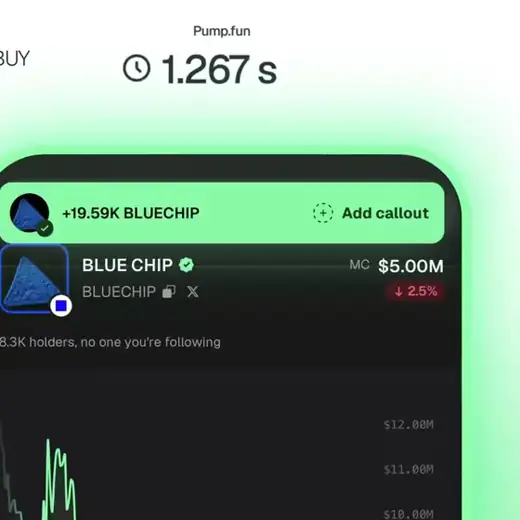
A busy chain looks similar. On Solana, a congested minute means more trades drop or land seconds late. Trades on Base, BNB Chain and other EVM chains go through Pump Bridge, which Pump.fun launched on October 21, 2026; it put a typical cross-chain buy at about 2 seconds. A buy that takes much longer is usually still confirming.
Do not tap Buy twice. Before you retry a trade that seemed to fail, open your positions and your activity. A trade that looked stuck has often gone through, and a second tap buys the coin again.
Check 4: Fix login and wallet connection errors
Most login problems come from using a different sign-in method than the first time. A different email or Apple ID opens a new, empty account, which looks like lost funds. The short fixes are below, and what to check when you cannot log in to Pump Fun goes deeper.
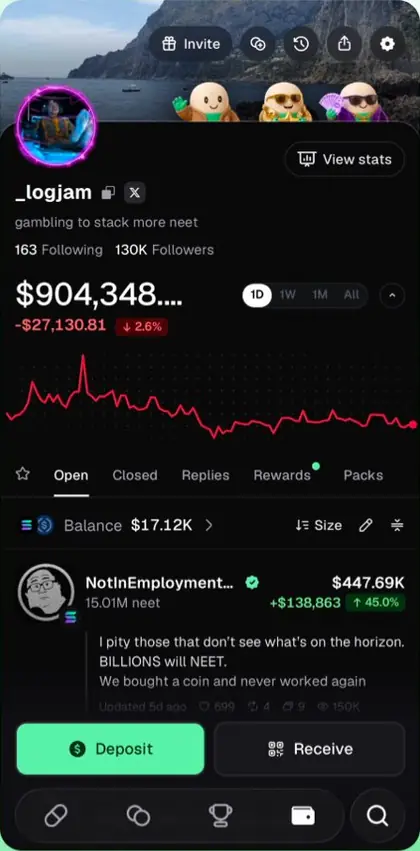
- App shows an empty wallet. Sign out and sign in with the exact method you used before: email, Apple ID, Google or Login with Wallet.
- Wallet connection fails on the website. From November 30, 2026, pump.fun stops signing you in with a browser wallet such as Phantom, Solflare or a Ledger. Add an email, Google, Apple or GitHub login before then and use that instead. An old wallet session shows a screen asking you to add a login.
- You still need that old wallet account. Import the wallet into the app with its private key, then open Settings and Link email & socials. Sign in on the web with that same login from then on. A Ledger, or any wallet whose key cannot be exported, cannot be linked: create a new account and send the funds to its address.
- Google sign-in does nothing. Google blocks sign-in inside wallet browsers. Open pump.fun in Safari or Chrome, or use email.
Check 5: Turn notifications back on
Missing alerts are usually a phone setting, so start with the phone and work inward. To set them up from scratch, see how to turn on alerts in the Pumpfun app.
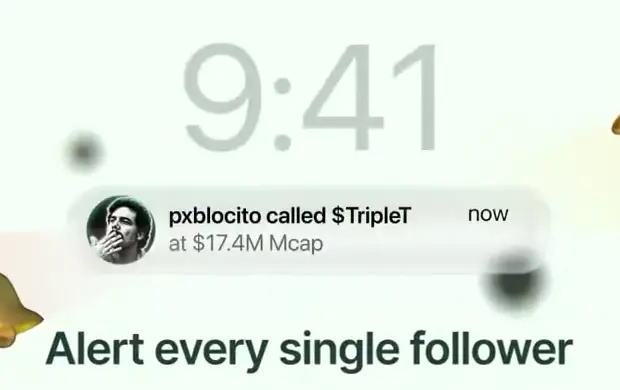
- Phone permission. On iPhone, open Settings, Notifications, Pumpfun, and turn on Allow Notifications with Lock Screen and Banners. On Android, open the app's notification settings and turn them on, then set battery use to Unrestricted so the system does not hold alerts back.
- Focus and Do Not Disturb. Either one hides alerts from apps not on its list.
- Inside the app. Trade alerts for one trader need you to follow them and turn on the bell on their profile. The Friends tab has its own alert settings that decide what reaches your lock screen.
- After a reinstall. If you tapped Don't Allow when the app asked, only the phone's Settings can undo it.
Check 6: Work out why a coin will not sell
A coin launched on Pump.fun has no freeze switch, and its creator cannot pull the pool's liquidity, so a sale is always possible in principle. When a sell fails, the cause is almost always one of these. The sell screen itself is covered in how to sell coins on Pump Fun.
- No SOL for the network fee. Keep about 0.01 SOL in the wallet. A balance near zero makes Solana transactions fail.
- The coin is graduating. When a bonding curve fills, the coin moves to PumpSwap. Sells may fail for a short time during that move, so wait a minute and retry.
- The position is dust. If it is worth less than the fees, the app may refuse it as too small. It is usually not worth selling.
- The token came from somewhere else. Tokens on other chains, and unknown tokens sent to your wallet, can carry code that blocks or taxes sells. Leave tokens you never bought alone.
Check 7: Read the failed transaction message
The error text tells you what to change. Apps word them a little differently, but most failures fall into these five.

| Message | What happened | What to do |
|---|---|---|
| Slippage tolerance exceeded, price moved too fast | The price moved more than allowed before the trade landed | Retry with a smaller size, or wait for the price to settle |
| Insufficient liquidity | The pool is too thin for your size | Trade a smaller amount |
| Amount too low to trade | Below the minimum for that route | Raise the amount, or leave it |
| Check your balance | Not enough for the amount plus fees | Lower the amount or add funds |
| Order still processing | A cross-chain trade is still confirming | Wait. Do not send it again |
A failed Solana trade costs only the network fee, a few cents at most. Everything else stays where it was. For errors that are not in this table, see why a Pump Fun transaction failed.
Check 8: Contact real support
Use only the channels Pump.fun itself names, which are listed with screenshots in how to contact Pump Fun support. Support is in the app, and on pump.fun under your profile card, then Support. The same team runs the Pump.fun help center. Pump.fun's terms also name a Telegram support channel, in section 28.
Send the error text, the time, your public wallet address, the transaction ID if there is one, your phone model and the app version. Never send a private key, recovery phrase or one-time code. Anyone who messages you first offering help, especially after you complain in public, is not support.
The two-minute checklist
- Export and write down your private key before you change anything.
- Load pump.fun on the web and in the app to see if it is down for everyone.
- Update the app, restart the phone, switch between Wi-Fi and mobile data.
- Sign in with the same method as the first time; on the web, use email, Google, Apple or GitHub.
- Check positions and activity before you retry any trade.
- Keep about 0.01 SOL in the wallet for network fees.
- Contact support only from inside the app or pump.fun, and never share your key.
