Updated
Pump Fun Terminal (Padre): How It Works
Terminal is Pump.fun's trading platform for desktop browsers. It started out as Padre, which Pump.fun bought in October 2025. It shows new coins seconds after launch and can buy from many wallets at once. It also charges its own fee. Code BonusReward is for the Pumpfun app, where it cuts the platform fee from 0.45% to 0.40%.
BonusReward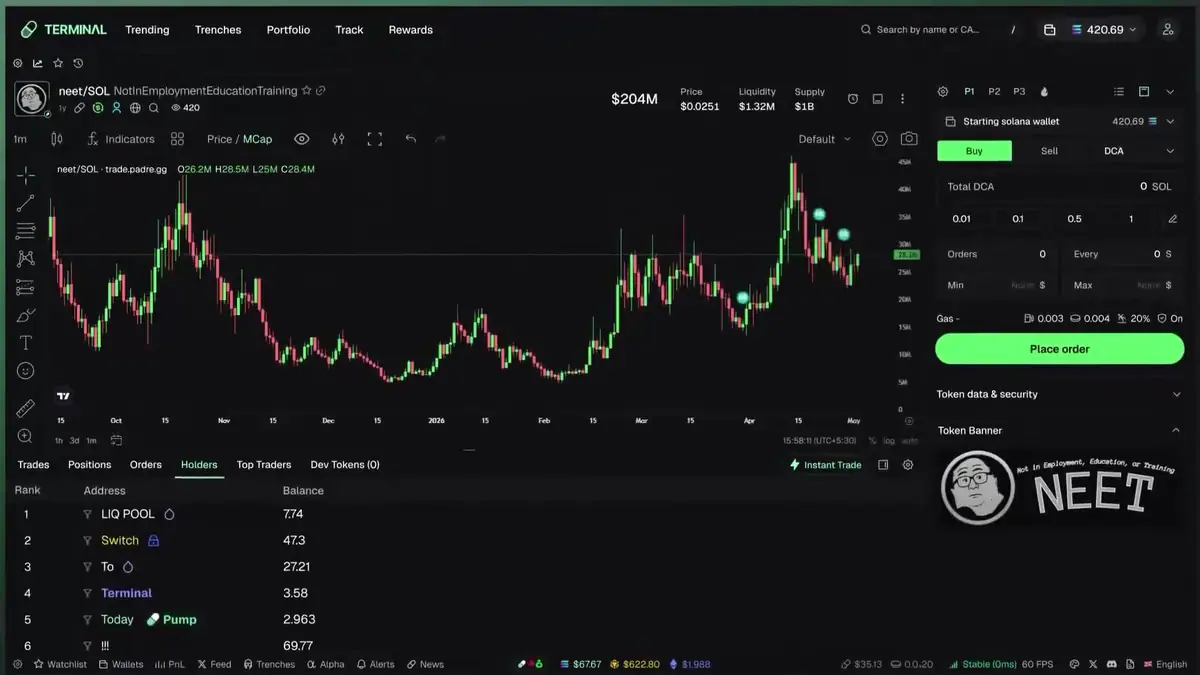
What is Pump Fun Terminal?
Pump.fun's own trading terminal for desktop, formerly called Padre.
| What it is | A trading platform built for a large screen, owned and run by Pump.fun |
|---|---|
| Old name | Padre. Pump.fun bought it in October 2025 and renamed it. |
| Address | trade.padre.gg, also linked from the Terminal item in the pump.fun menu |
| Log in with | Telegram, Google, Phantom or MetaMask |
| Chains | Solana, plus Base, Ethereum, BNB Chain and Robinhood Chain |
| Main screens | Trending, Trenches, Portfolio, Track and Rewards |
| Terminal fee | 1% per trade in most cases, with 10% to 35% paid back as cashback |
| Pump.fun platform fee | Not charged on Terminal trades |
| Code BonusReward | Works in the Pumpfun app, not in Terminal |
Is Pump Fun Terminal the same as Padre?
Yes. Padre became Terminal after Pump.fun bought it in October 2025.
Pump.fun announced the deal on October 24, 2025 and did not give a price. Padre was already a trading terminal for memecoins on Solana, Ethereum, Base and BNB Chain. A few weeks later it was running under the name Terminal. The address did not change. Terminal still lives on padre.gg, and the team has said it would announce any domain change in advance.
What that means for traders:
- New launchpad features tend to reach Terminal on day one. Holder Rewards icons and a list of top earners were live in Terminal on September 12, 2026, the day Holder Rewards launched.
- Terminal trades count in Pump.fun events. In the $2,500,000 Squads competition that began in late October 2026, only trades on the Pumpfun app, pump.fun on the web and Terminal counted toward a squad's PnL.
- Pump.fun's 0.45% platform fee does not apply to Terminal trades. Terminal keeps its own fee and cashback, covered below.
How do you open and log in to Pump Fun Terminal?
Open trade.padre.gg on a computer and log in with Telegram, Google or a wallet.
Open the real site
Type trade.padre.gg yourself, or use the Terminal link in the pump.fun menu. Skip search ads and links sent in private messages. Fake copies of trading sites are a common way to drain wallets.
Log in
Pick Telegram, Google, Phantom or MetaMask. Terminal sets up a trading wallet for you, so you do not have to trade from your main wallet.
Fund the wallet
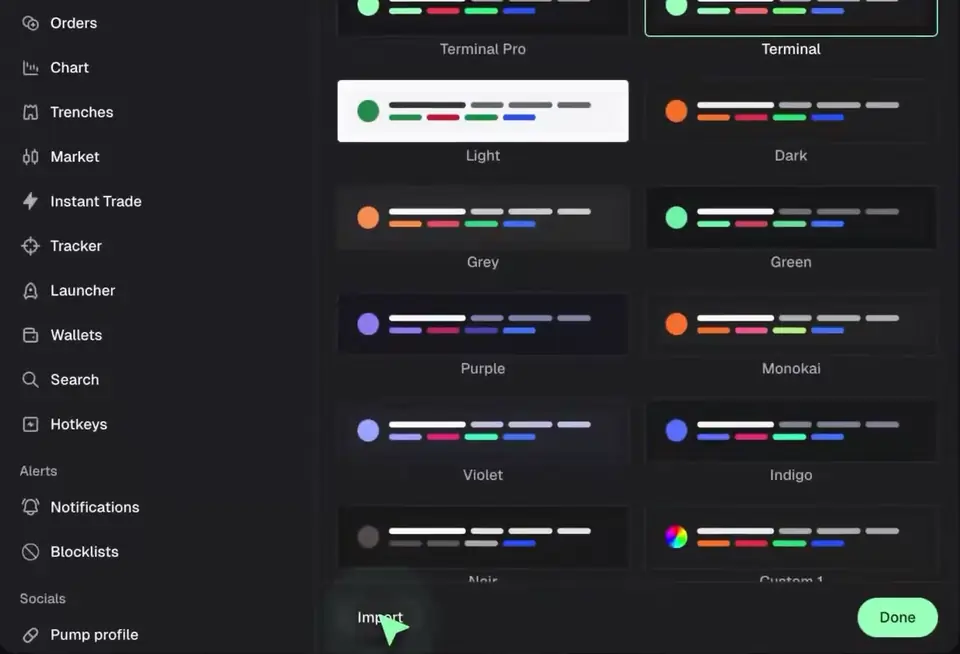
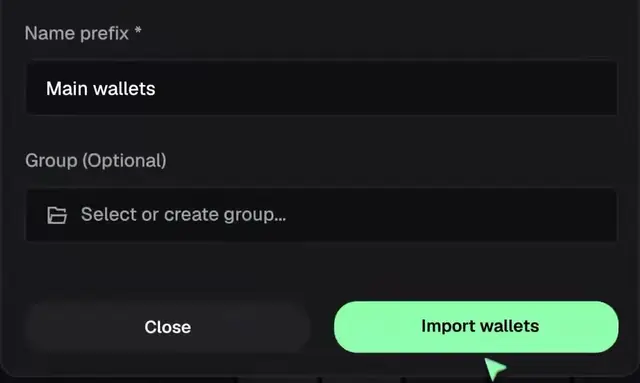
Send SOL or USDC to the trading wallet's address. You can also import wallets you already use, one at a time or, since October 2026, in bulk.
Set your presets
Save buy amounts, priority fee, tip and slippage as presets P1, P2 and P3, and leave MEV protection on. Then test a tiny buy and sell before you trade real size.
Is there a Terminal app for phones?
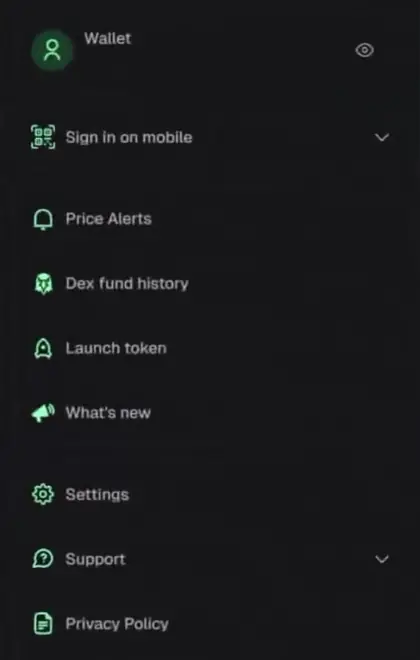
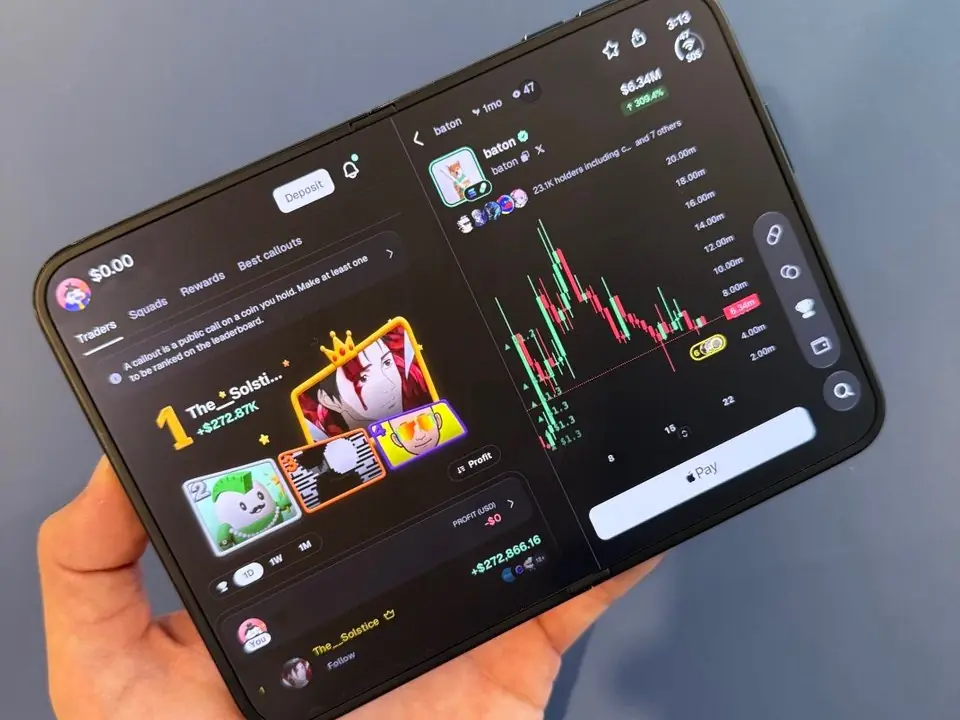
No separate one at the time of writing. Terminal is built for a big screen. Its account menu has a Sign in on mobile option that links a phone browser with a QR code, which is handy for checking positions away from the desk.
Apps in the stores that carry the Padre or Terminal name do not appear to come from the Terminal team. Do not install them. The phone app Pump.fun makes is the Pumpfun app, and that is where code BonusReward counts.
What are the main screens in Pump Fun Terminal?
Trending, Trenches, Portfolio, Track and Rewards, plus a trading page for every coin.
Trenches
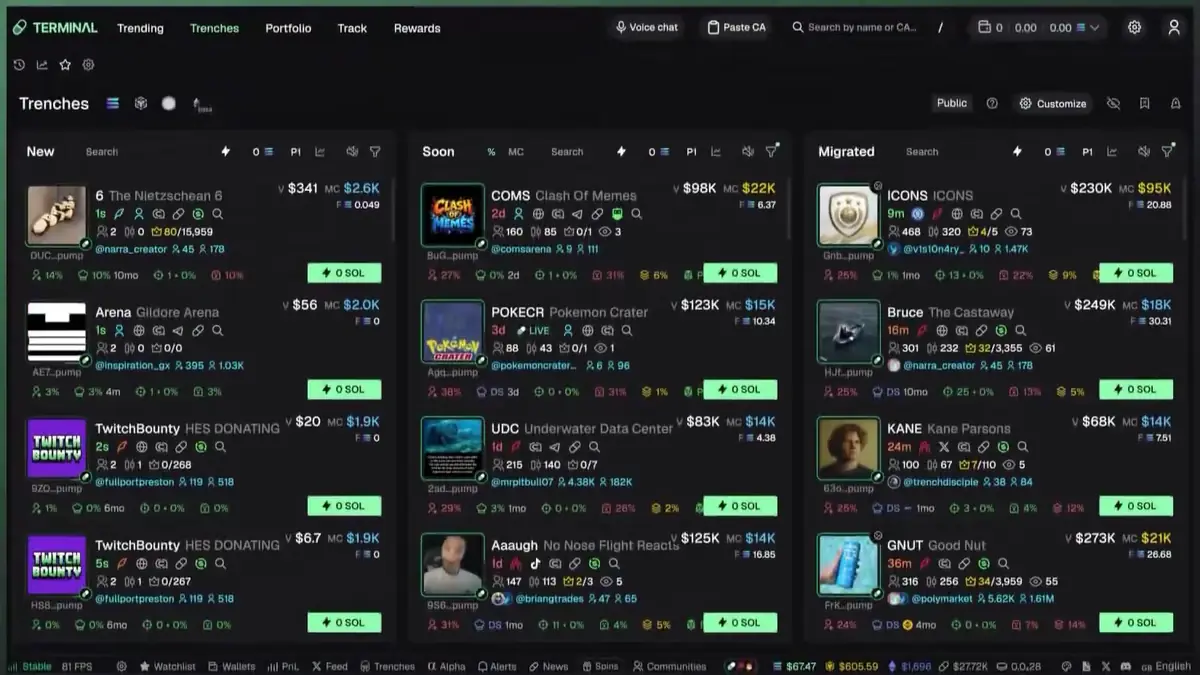
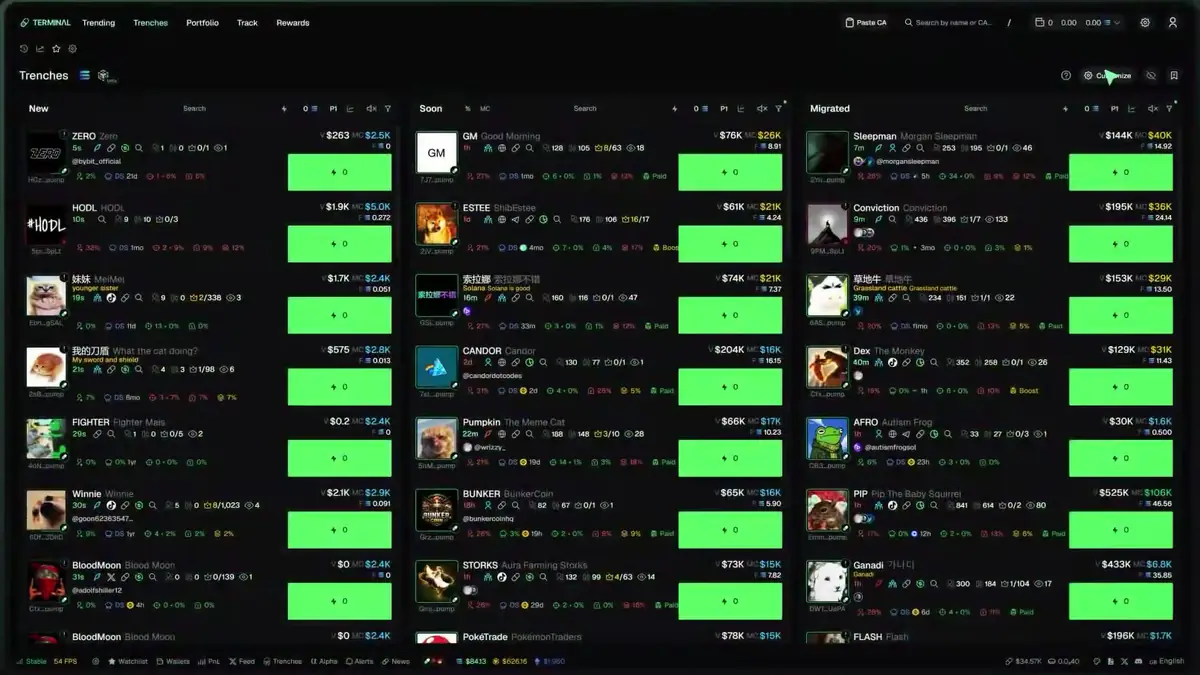
Trenches is the busiest screen in Terminal. Three columns update live. New lists coins created seconds ago. Soon shows coins close to filling their bonding curve, and Migrated shows coins that already moved to PumpSwap. Each card shows the coin's age, holders, social links and a quick-buy button set to your preset amount.
Every column has its own filters and search. You can hide coins with heavy bundling, block developers you never want to see again and color the launches of developers you track. The sniper bot guide goes through those filters one by one.
Trending
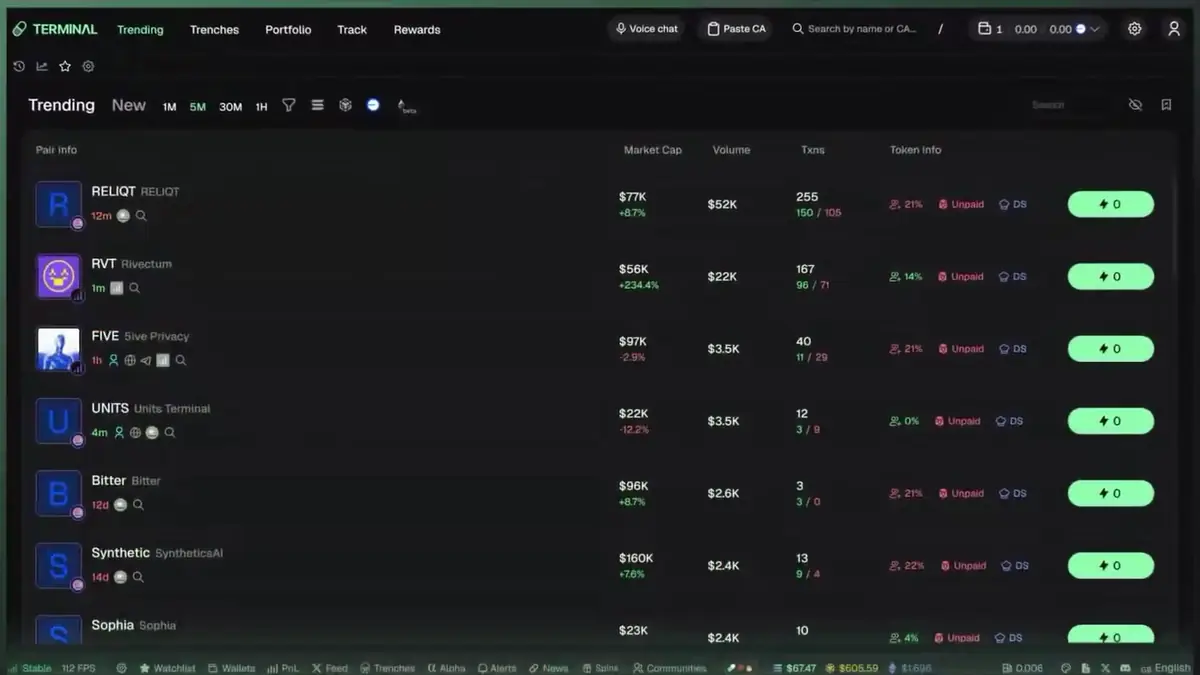
Trending lists the most active coins over 1, 5, 30 or 60 minutes, one chain at a time. The October 1, 2026 update added live viewer counts and a split of each coin's volume by trading app. A coin whose volume comes almost entirely from one place deserves a second look.
Coin page
Open any coin and you get the chart, the buy panel and tabs for trades, positions, orders, holders, top traders and the developer's other coins. The buy panel has Buy, Sell and DCA tabs, your preset amounts and an Exit Strategy box for sell targets. The screenshot at the top of this page shows it.
Portfolio, Track and Rewards
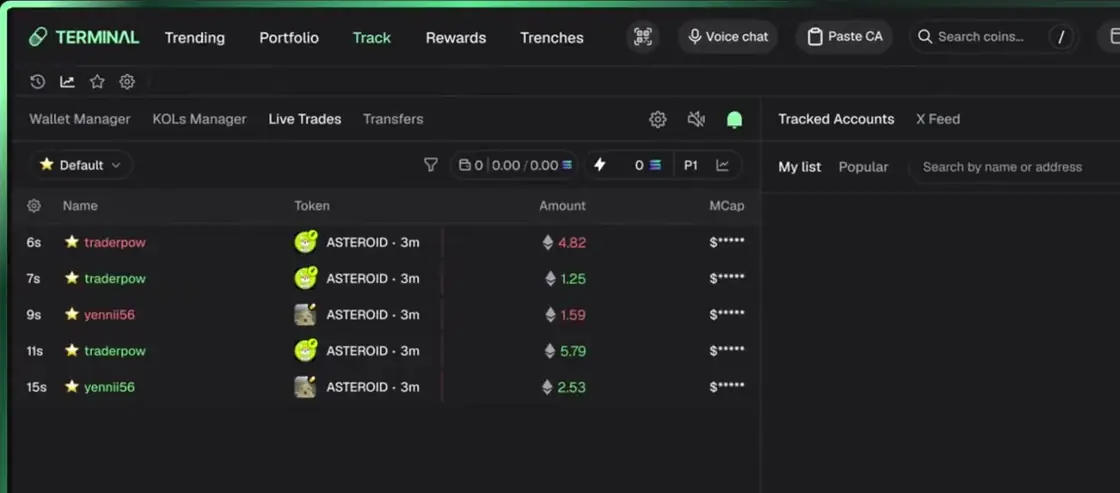
Portfolio shows realized and open PnL across your wallets. Track holds the wallets and developers you follow, with alerts and color highlights. Rewards holds your cashback and Terminal's own referral program. The top and bottom bars add a watchlist, alerts, news, coin communities and voice chat.
The October 2026 update in 50 seconds
A short tour of what changed on October 1, 2026: the Trending page, volume by trading app, breakout limit orders, bulk wallet import and new theme options.
- Live viewer counts on every Trending row
- Volume split by trading app to spot fake activity
- Breakout limit orders and rotation between wallet groups
Which Terminal tools matter most to active traders?
Multi-wallet buys, advanced orders, wallet tracking and Lobbies.
Wallet groups and Fortify
You can keep up to 20 wallet groups and buy from several wallets in one click. Fortify, added on November 3, 2026, makes those buys land together, so sandwich bots have a much harder time slipping in between. Press Cmd+K or Ctrl+K and search for Fortify to switch it on.
Orders
Besides market buys, Terminal has limit orders with take profit and stop loss, breakout orders that fire when the price breaks through a level, trailing stop losses and DCA orders that split a trade by time or by market cap. The Solana trading bot page walks through DCA and wallet groups.
Wallet tracking and Lobbies
Track a wallet and you get an alert with a buy button when it trades. A Follow Sell order sells your position when a wallet you follow sells. Lobbies, added on November 4, 2026, let a group share calls with quick-buy buttons and watch each other's trades live. None of this copies trades automatically. The copy trading guide explains how close it gets.
What fees does Pump Fun Terminal charge?
Terminal's own fee, 1% per trade in most cases, minus cashback.
Pump.fun's platform fee of 0.45%, or 0.40% with code BonusReward, applies to the Pumpfun app and pump.fun on the web. Trades placed through Terminal do not pay it. Terminal charges its own fee instead and pays part of it back as cashback.
- Terminal fee. 1% of each trade in most cases.
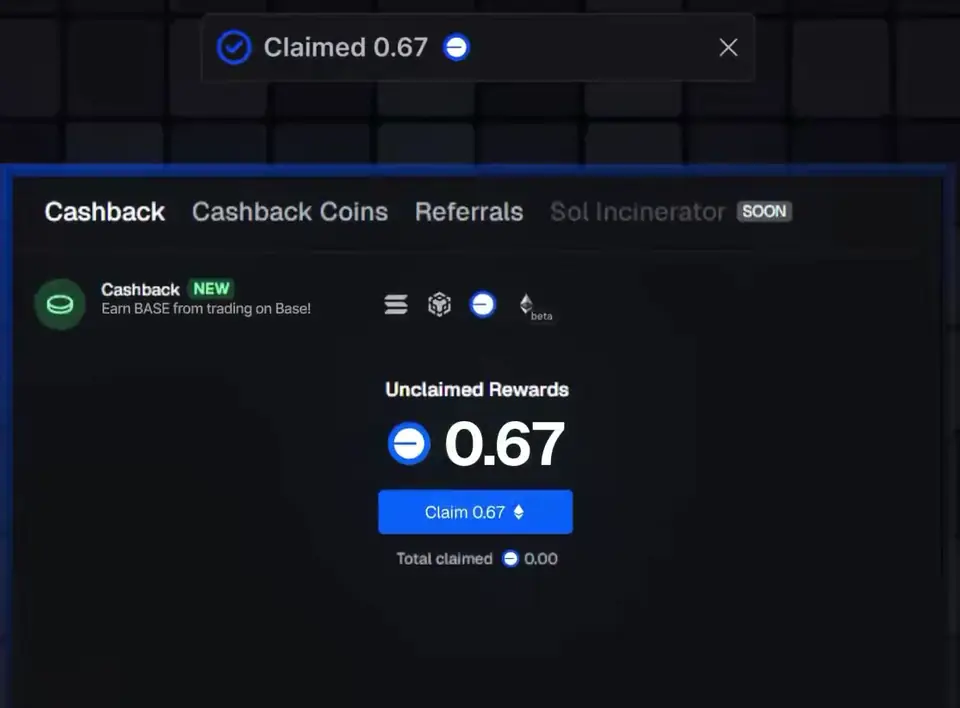
- Cashback. 10% of that fee by default, and up to 35% for accounts that joined through a Terminal referral link, at the time of writing. Short promotions sometimes go higher.
- Claiming. Cashback builds up per chain on the Rewards page, and you claim it there.
- Pool fees. These apply on every app, Terminal included: 1.25% on the bonding curve, then 1.25% down to 0.30% on PumpSwap as the market cap grows.
Here is what the app or terminal fee alone costs on a $100 buy followed by a $100 sell. Pool fees, network costs and price impact come on top in every row.
| Where you trade | Fee | Cashback | Cost of the round trip |
|---|---|---|---|
| Pumpfun app, no code | 0.45% | None | $0.90 |
| Pumpfun app, any code | 0.40% | None | $0.80 |
| Terminal, default | 1% | 10% | $1.80 |
| Terminal, joined by referral link | 1% | 35% | $1.30 |
Terminal also runs Lucky Spins, added in May 2026. Free spins appear once you trade enough volume, with small prizes such as balance top-ups. Do not trade more just to earn spins.
Does code BonusReward work on Terminal?
No. It is a Pumpfun app code and changes app fees only.
A Pump.fun referral code is a Pumpfun app username. You add it in the app under Profile, Rewards, Referrals, before your first purchase. From then on your app trades cost 0.40% instead of 0.45%. A first in-app fiat purchase can also earn a deposit match of up to $50, for you and for the person who referred you. To qualify, trade on 5 separate UTC days within 10 days. The match is paid in parts after review.
Terminal keeps a separate system. Its referral links raise your cashback and have nothing to do with app codes. If you use both, set them up separately: the code goes into the app before your first purchase, and Terminal stays its own account with its own fees.
Should you use Terminal or the Pumpfun app?
Use the app on your phone and Terminal for long desktop sessions.
| Pumpfun app | Terminal | |
|---|---|---|
| Device | iPhone and Android, plus pump.fun on the web | Desktop browser, with phone sign-in by QR code |
| Built for | Following traders, callouts and alerts | Scanning launches and fast execution |
| Finding coins | Home feed, callouts and trade alerts | Trenches and Trending, with filters |
| Wallets | One balance in SOL or USDC | Many wallets, up to 20 groups |
| Orders | Market and limit orders with take profit and stop loss | Limit, breakout, trailing stop, DCA and Follow Sell |
| Markets | Solana, many EVM chains, perps and tokenized stocks | Solana, Base, Ethereum, BNB Chain and Robinhood Chain |
| Fee | 0.45%, or 0.40% with code BonusReward | 1% in most cases, minus 10% to 35% cashback |
| Code BonusReward | Yes, before your first purchase | Does not apply |
| $50 deposit match | Yes, on the first in-app fiat purchase | No |
The Pumpfun app fits if
- You are new to Pump.fun coins
- You trade mostly from your phone
- You want callouts, alerts and Callout Rewards
- You want the lowest platform fee and the deposit match
- You also trade perps or EVM coins
Terminal fits if
- You scan dozens of launches a day on a big screen
- You split buys across several wallets
- You want DCA, breakout and trailing stop orders
- You use hotkeys and custom layouts
- You track developer and trader wallets closely
You can also run both: Terminal for scanning and execution at the desk, the app for alerts, callouts and trades on the move.
What are the risks of trading on Pump Fun Terminal?
Fast tools make fast losses, and fake Terminal sites target new users.
- Fake sites and apps. Use trade.padre.gg or the Terminal link on pump.fun. Never type a seed phrase into any trading site.
- Hot wallets. Your trading wallets live inside a web app. Protect the Google or Telegram account you log in with and keep only trading money there. If you export a private key, store it offline and never share it.
- Fees on quick flips. On the bonding curve, a buy and a sell can cost around 4.5% in Terminal and pool fees before cashback. A coin has to rise about that much before a quick flip breaks even.
- Speed is not an edge on its own. Most new coins lose almost all of their value. Bots on paid servers still reach launches first.
- Group calls. In Lobbies and call groups, the person who calls a coin may already hold it and sell into your buy.
- Changing rules. Features, cashback rates and promotions change often. Check the Rewards page instead of trusting old screenshots.
Pump Fun Terminal FAQ
Is Pump Fun Terminal the same as Padre?
Yes. Pump.fun bought Padre in October 2025 and renamed it Terminal. It still runs at trade.padre.gg.
What is the official Pump Fun Terminal website?
trade.padre.gg. You can also reach it from the Terminal link in the pump.fun menu. Treat any other address as a likely scam.
Is there a Pump Fun Terminal app for iPhone or Android?
No, not at the time of writing. Terminal runs in the browser and can pair with a phone browser through Sign in on mobile. The phone app from Pump.fun is the Pumpfun app.
How much does Pump Fun Terminal charge per trade?
In most cases 1% of each trade, with 10% of that fee paid back as cashback, or up to 35% if you joined through a Terminal referral link. Pool fees and network costs come on top.
Can I use code BonusReward on Terminal?
No. BonusReward is a Pumpfun app code. It lowers the app's platform fee to 0.40% and must be added before your first purchase in the app.
Does Pump Fun Terminal have copy trading?
No. Terminal has wallet tracking with one-click buys, Follow Sell orders and Lobbies, but it does not copy another wallet's trades for you.
Which chains does Terminal support?
Solana, plus Base, Ethereum, BNB Chain and Robinhood Chain at the time of writing.
Can I use Terminal and the Pumpfun app together?
Yes. They use separate wallets and separate fees, and they work side by side. Pump.fun counted trades from the app, the website and Terminal in its October 2026 Squads competition.
Trade on the Pumpfun app with code BonusReward.
BonusRewardDisclosure: BonusReward is our referral code. When you use it, we earn part of the platform fees you pay. You pay the same 0.40% with any valid code.
More about trading on Pump.fun
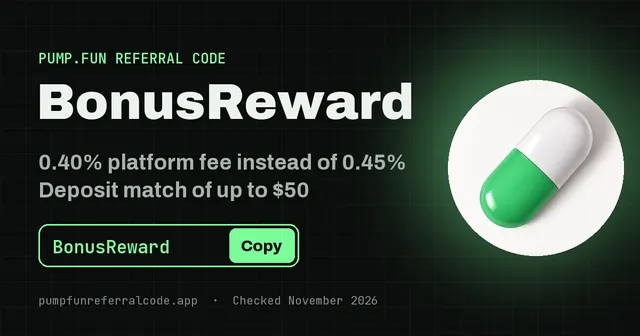 Pump Fun Referral Code: BonusRewardAdd code BonusReward before your first purchase: 0.40% fees instead of 0.45% and a deposit match of up to $50.
 Pump Fun Sniper BotThere is no official Pump Fun sniper bot. See why most snipes lose, which Terminal tools come close, and how to vet a free bot before it gets your key.
 Pump Fun Copy TradingPump Fun has no automatic copy trading. See what the Pumpfun app and Terminal offer instead, which wallets to copy, and why copying late loses money.
 Download Pump Fun AppGet the real Pumpfun app on iPhone or Android, avoid fake APKs, set up your wallet and add code BonusReward before your first buy for 0.40% fees.