
On this page
Before you start
You need the coin, a little SOL for network fees and one decision. Are you selling everything, or taking part off the table? Make that call before you open the chart. If you wait for the next candle, the candle makes it for you.
Know what you get paid in. A sale pays out in the asset the coin trades against: SOL for most Pump.fun coins, USDC for USDC-paired coins and for tokens on Base, BNB Chain, Robinhood Chain and the other added chains. Selling costs the same as buying a coin on Pump Fun. You pay the platform fee of 0.45%, or 0.40% with code BonusReward, plus the pool fee: 1.25% while a coin is on the bonding curve, and 1.25% down to 0.30% on PumpSwap.
Step 1: Find your position
Open your profile and stay on the Open tab. It lists every coin you hold, with its value and the profit or loss next to it. The Balance line above the list is your cash, the USDC and SOL that sales pay into.
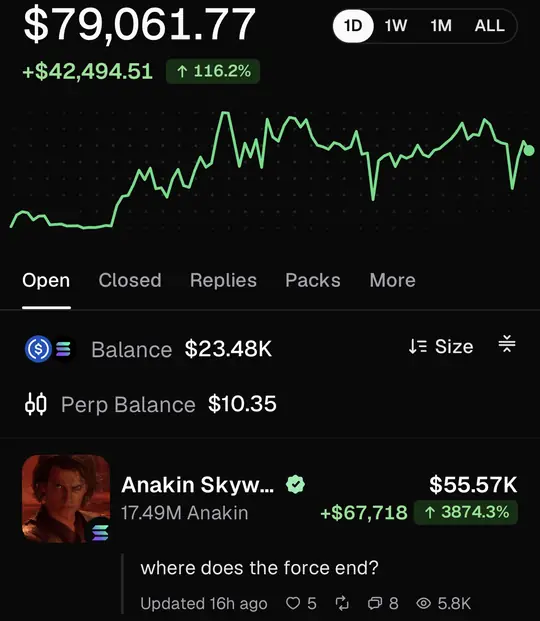
Tap the coin to open its page. The position card under the chart repeats the value and the profit, so you can check the number before you sell. If a coin you bought is missing, you are probably signed in with a different login. Each email or Apple ID has its own wallet, so sign out and back in with the one you used to buy.
Step 2: Open the sell screen and choose the amount
Tap the red minus button with the coin's ticker at the bottom. The sell screen shows the amount in tokens, with an estimate in dollars or USDC under it. The arrows next to the estimate switch between the two.
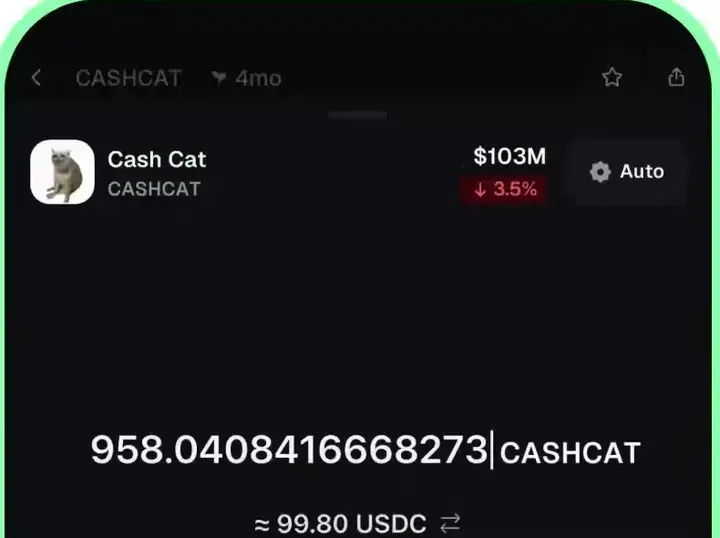
Use Max to sell the whole position, or 25%, 50% or 75% to sell part of it. Avoid typing a token count by hand. On a coin with a supply of 1 billion, one missing zero turns a full exit into a 10% sell.
Partial selling is the habit worth building. Sell enough at your first target to get your stake back, then let the rest ride with none of your own money left in it. If you put in $100 and the position is now worth $300, selling a third returns about $98 after fees, close to your stake. If the other two thirds then go to zero, you are down about $2.
Check that the gear button at the top right still reads Auto, then tap Submit once. A small pill at the top reads Exiting and the ticker while the sale goes through.
Selling fast. Max, then Submit: two taps from the coin page. In Pump.fun's side-by-side test, sells on Robinhood Chain and Base landed in under a second. When a coin is dumping, size matters more than speed. A smaller sell often fills where a full one fails.
Step 3: Check where the money went
A green banner shows what you received, for example +99.36 USD. The sale was 958.04 tokens, which the sell screen had valued at about 99.80 USDC. The 44-cent gap is about the size of the 0.45% platform fee.
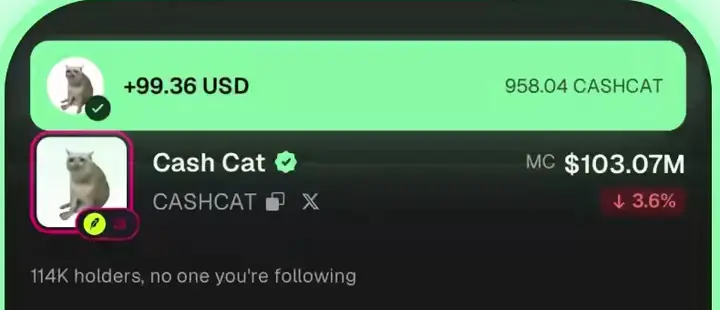
The money goes to your wallet balance in the app, the Balance line on your profile, in SOL or USDC depending on the coin. It stays there until you buy something else or withdraw it. A sale never sends money to a bank. Cashing out is a separate step from the wallet.
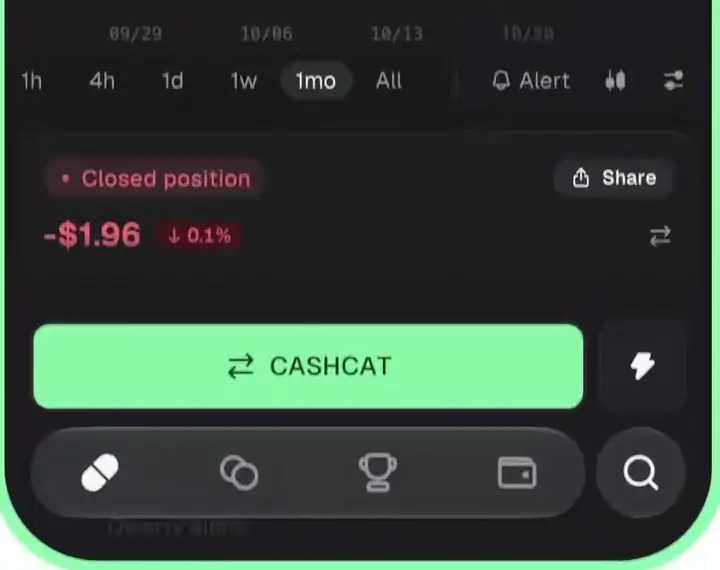
After a full exit, the card on the coin page switches to Closed position with the final result. After a partial sell it still reads Open position, with the smaller value. If the coin had a take profit or stop loss, cancel those orders now. Open orders stay live until they fill or you cancel them.
If Pump Fun won't let you sell
Usually it is price, liquidity, fees or the network, not your account. Go through these in order, top to bottom. For the exact wording of an error, see why Pump Fun transactions fail.
- The price moved too fast. The coin moved past the slippage limit while your sale was in flight. Retry once. If it fails again, sell half, then the rest.
- Not enough liquidity. Messages such as insufficient liquidity or price impact too high mean the pool cannot take your size at a sane price. Sell in smaller parts. A Pump.fun coin on the bonding curve can always be sold back into the curve, and after graduation its PumpSwap liquidity is locked and burned, so the creator cannot pull it. What can happen is a price near zero after the big holders sell, which is the usual shape of a rug pull on Pump Fun.
- Amount too low to trade. Leftover dust worth a few cents can cost more in fees than it returns. Leave it.
- No SOL for fees. A Solana wallet with zero SOL cannot pay network fees, even with coins in it. Add about 0.01 SOL and retry.
- The network is busy. A sale can land after the app has shown an error. Refresh the Open tab before you retry, so a late confirmation does not turn into a second sale.
- The token blocks sells. Coins launched on Pump.fun all come from one program with a fixed supply of 1 billion, and their creators get no switch to stop you selling. Tokens from other launchpads and on EVM chains carry their own contracts, and some include sell taxes, blacklists or a pause. That is a honeypot, and no setting gets you out. A coin paired with USDC or a tokenized stock also depends on that asset, and its issuer can freeze it, which can halt trading in the pair.
- The app is down. Your coins sit in your own wallet, not in the app. Sign in to pump.fun on the web with the same login and sell there, or wait for the app to come back. Our Pump Fun not working checklist shows how to tell an outage from a problem on your phone.
