
On this page
Before you start
You need the app signed in, a funded wallet and money you can lose. Memecoins can halve in an hour with no news at all. Settle on the number before you look at a chart, because a green candle makes everyone braver.
- Funds in the wallet. For Solana coins the app spends SOL or USDC. Tokens on Base, BNB Chain, Robinhood Chain and the other added chains come out of your USDC balance, and the app bridges in the background. If the wallet is empty, tap Deposit on the home screen: Apple Pay or a card buys crypto inside the app, and Receive shows your address for SOL sent from an exchange.
- A referral code, before anything else. Go to Profile, Rewards, Referrals and enter BonusReward. Your platform fee drops from 0.45% to 0.40% on every trade. The code only goes in before your first purchase, and that first purchase is also the one that can count toward the deposit match of up to $50. Skip it, buy once, and the box is locked for good.
- Some SOL for fees. Keep a little SOL aside, around 0.01, so you can pay network fees on the way out. A withdrawal alone needs 0.005 SOL.
Step 1: Find the coin and check it
Tap the magnifier at the bottom right and paste the coin's contract address. Searching by name works too, but copycats reuse a trending name and ticker within minutes. The address is the one thing they cannot copy.
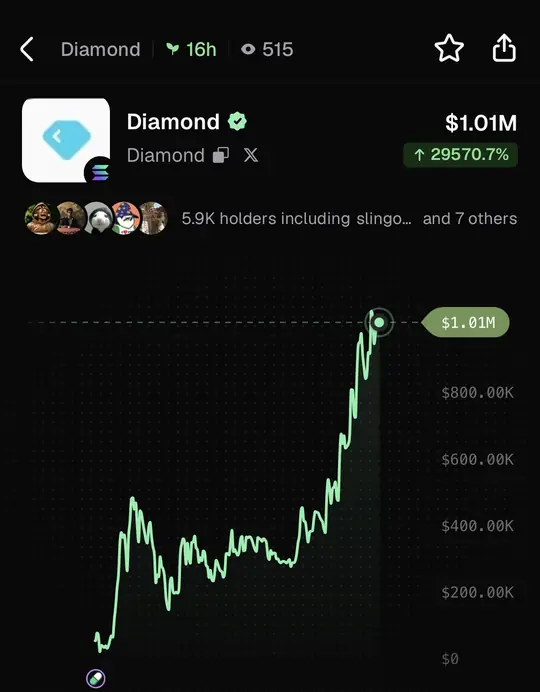
On the coin page, read four things from the top. The age next to the name (16h here). The market cap and its change. The small badge on the logo, which tells you the chain. And the holder count: a coin that is 20 minutes old with 40 holders is a different bet from one with 5,900. If someone sent you the coin, tap the copy icon next to the ticker and compare the first and last four characters of the address with theirs.
Step 2: Tap the buy button and type an amount
Tap the green button with the coin's ticker at the bottom. Leave the lightning button beside it alone for now. On a first buy you want the full screen in front of you before anything is sent.
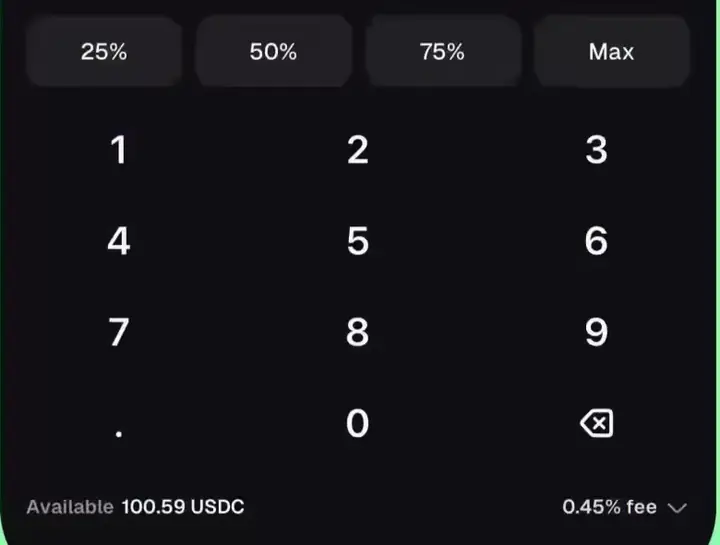
Type what you want to spend. The Available line under the keypad shows your balance and its currency, 100.59 USDC in this case. The preset row fills in 25%, 50%, 75% or Max of it. Skip Max on your first trades. It puts everything into one coin, and on a SOL balance it can leave too little to pay the network fee when you sell.
Step 3: Leave slippage on Auto
Leave the gear button at the top right of the buy screen on Auto. It holds the trade settings, and Auto is the right place for them while you learn.
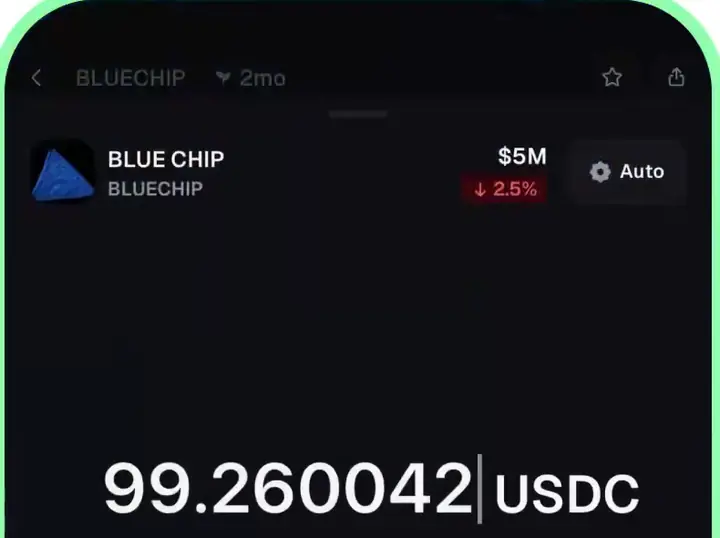
Slippage is the gap between the price you see when you tap and the price you get when the trade lands. A limit on it protects you. If a busy coin moves past that limit mid-trade, the buy is cancelled, and the error usually says the price moved too fast. Retry once, at the same or a smaller size, before you think about loosening anything by hand. A loose limit is what sandwich bots look for: they buy just ahead of your order and sell into it a moment later.
Step 4: Read the fee line, then tap Submit
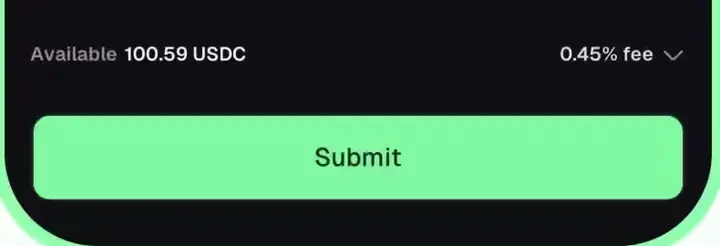
Above Submit, the fee line shows 0.45%, or 0.40% with code BonusReward. That is the platform fee. On a $100 buy it comes to 45 cents or 40 cents.
That line is not the whole cost. The pool takes its own fee inside the price. While a coin is on the bonding curve it is 1.25% (0.30% to the creator, 0.95% to the protocol). After the coin graduates to PumpSwap it runs from 1.25% down to 0.30% as the market cap grows. Tokens on EVM chains add a further 0.10% to 0.15%, and Pump.fun pays the gas out of that. So a $100 buy of a fresh coin costs about $1.65 to $1.70 in fees before the price moves at all, and a similar amount again when you sell. Five round trips in one afternoon cost around 17% of your stake before you have won or lost a thing.
Tap Submit once. A small pill at the top of the screen reads Entering and the ticker while the trade goes through.
Step 5: Check that the buy landed
A green banner confirms the fill, for example +954.41 CASHCAT. That figure is the number of tokens you got. Pump.fun measured its typical cross-chain buy at 1.95 seconds from tap to that banner.
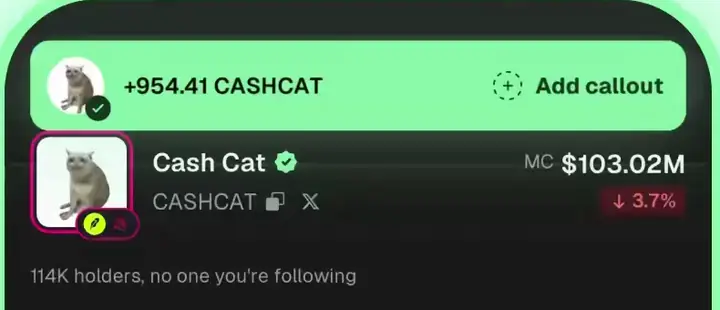
The banner also offers Add callout, which shares your buy and a short note with your followers. It is optional, and callouts can earn rewards once people trade on them. Your new position now shows on the coin page with its value and profit or loss, and under the Open tab of your profile.
Set your exit now. Tap Add limit orders on the position card and set a take profit and a stop loss while you are still calm about the trade. To exit by hand, follow how to sell coins on Pump Fun.
If the buy does not go through
Work down this list in order. Pump.fun puts its cross-chain error rate below 1 in 100 buys, so a failure usually has a cause you can fix. If the app shows an error you do not recognise, why a Pump Fun transaction fails explains each message.
- Check the balance. The amount has to fit inside Available with room for fees. Type a round number a little under your balance instead of tapping Max.
- The price moved too fast. The coin ran past the slippage limit. Wait a few seconds and retry once, at the same size or smaller.
- Look before you tap again. On a busy network a trade can land after the app has shown an error. Check the Open tab on your profile first, or you may end up buying twice.
- The token has almost no liquidity. A pool with nothing in it cannot fill your order at any sane price. Pick another coin.
- Still stuck. Close the app, reopen it and sign in with the same login. Your coins and balance sit in your own wallet, not inside the app, so nothing is lost while you wait.
