
On this page
Before you start
Know what the leaderboard ranks. The main board ranks traders by profit over a window of one day, one week or one month. Only traders who have posted at least one callout are ranked, so a quiet trader who never calls a coin does not appear, however well they trade.
Then decide what you want from it. Finding traders to follow takes the most care, and most of this article is about that. Checking where your squad stands or who earns the most from callouts takes a minute. If earning is your goal, start with how to make money on Pump Fun.
If you came for the coins that are moving, that is another screen. The Movers tab in the coin lists ranks coins by price momentum. The leaderboard ranks people.
Step 1: Open the leaderboard
Tap the trophy icon, third from the left in the app's bottom bar. Tabs run across the top: Traders, Squads, Rewards and Best callouts, and recent builds add Perps. On the pump.fun website, choose Leaderboard in the menu, or read the leaderboard panel on the home page.
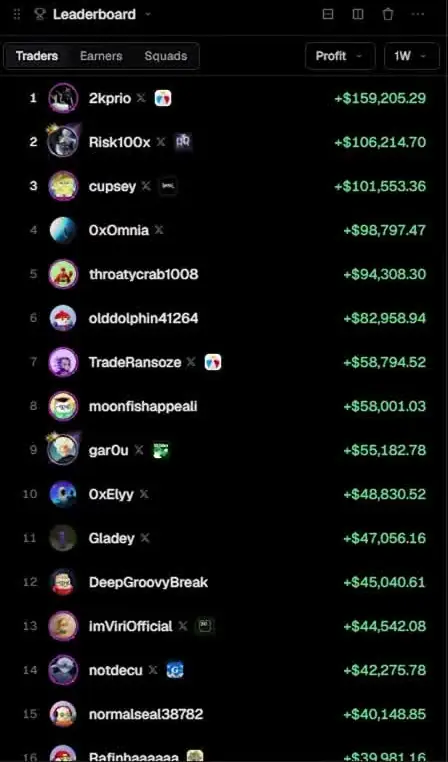
The app opens on Traders, usually set to one day. The leaders get a podium at the top. Every row below shows the rank, the name, a Follow button, the profit in dollars and small coin icons with a count of the coins involved. A row with "2" carries a different risk from one with "99+".
Step 2: Pick a window and a sort
Tap 1D, 1W or 1M, then tap Profit to change the sort. There are three sorts:
- Total profit, the default, adds realized and unrealized gains.
- Realized profit counts only gains from coins the trader has sold.
- Unrealized profit counts only open positions, valued at today's price.
Switch to Realized profit and 1M before you look for people to follow. Total profit on a daily window is easy to top with one open position that tripled this morning. That gain exists only at the current price, and on a thin coin the trader may not be able to sell at that price. A month of realized profit is harder to fake.
Step 3: Read Squads, Rewards and Best callouts
The other tabs rank teams, caller earnings and single calls. Each answers a narrower question than Traders.
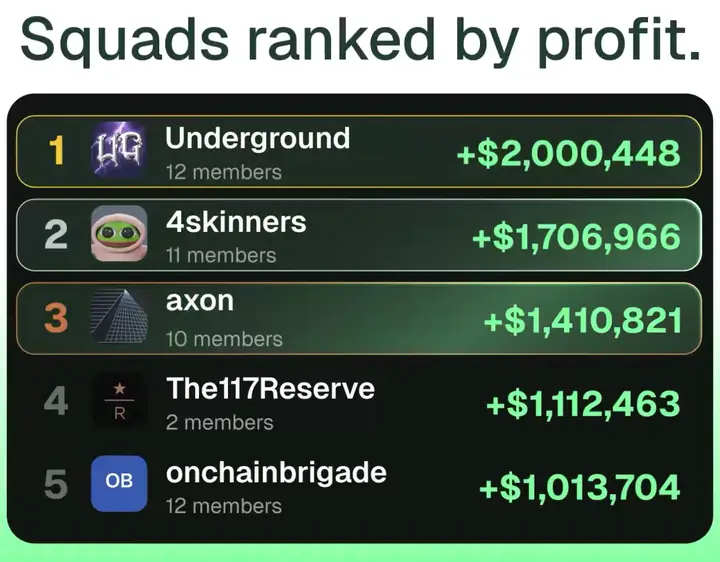
Squads ranks teams by the combined profit of their members in the window. To register a squad for a competition, open this tab and tap the trophy icon. The first large contest, with $2,500,000 in prizes for the top three squads, ran from October 26 to November 9, 2026. It scored realized plus unrealized profit, left out perps profit, and did not count tokens transferred in.
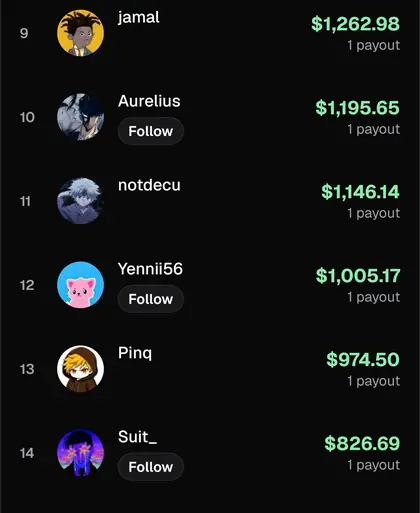
Rewards ranks callers by the callout rewards they were paid, with the number of payouts under each amount. It has an all-time view next to the 1D, 1W and 1M windows, and a switch between the two reward formulas, Degen and Diamond. Callout Rewards explains how those payouts are worked out.
Best callouts lists the best-performing single calls of the day or week, ranked by profit. It is a good way to find coins worth studying. The callers are a separate question.
Step 4: Open a trader's profile and stats
Tap a name, then read the profile's balance and closed positions. The balance chart switches between 1D, 1W, 1M and All. The tabs below hold Open and Closed positions, replies and more.
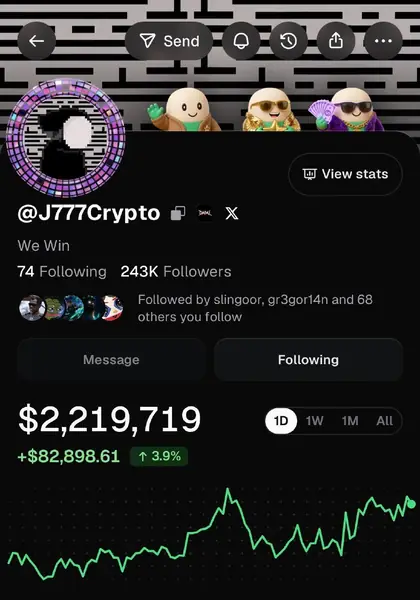
Look at the percentage as well as the dollars. In the profile above, a day's gain of $82,898 is 3.9% of the balance. The board ranks dollars, so large accounts rise to the top with modest returns, and a small account can double without being seen.
Then tap View stats. The Callouts tab counts calls, tailers (people who bought after a call) and tail volume for the last round, today, one week or one month, and ranks the trader against everyone else. Sort the calls by Multiplier to see each one: the market cap at the call, the peak, how many people tailed it, and what those tailers made an hour and a day later.
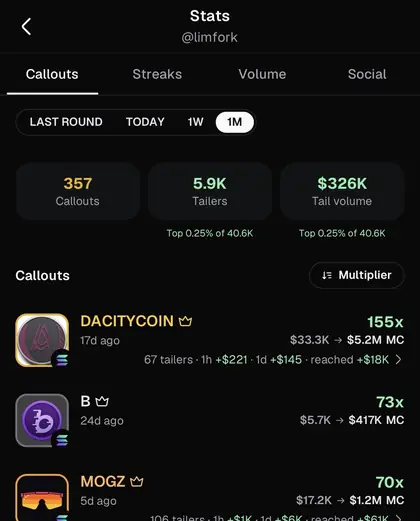
The tailers' results matter most. A caller whose best call did 155x but whose tailers lose money an hour later is good at being early, not at being followed.
Step 5: Follow the ones that pass
Tap Follow, then set alerts with the bell on the profile. The steps are in how to turn on alerts. Follow three to five traders at first, so each alert still gets your attention.
No Pump.fun product copies a trader automatically. An alert reaches you after the trader has bought, so the price is already higher. Our copy trading page explains what a delay of one minute does to a fast trader's results. To watch a wallet outside the app's follow system, see how to track a wallet.
What the leaderboard does not show
It shows who won this window and little else. Keep these limits in mind every time you read it:
- Survivorship. Thousands of traders made similar bets this week. You only see the few that paid.
- Paper gains. Total profit counts open positions at today's price. On a small coin, selling can move that price a long way.
- Losses outside the window. A top trader on 1D can be down on the month. Check 1M and the All chart on the profile.
- One coin. A single runner can carry a whole week. The coin icons and the Closed tab show whether the profit is spread out.
- Other wallets. The board sees the account's own trades. In most cases it cannot see wallets or apps the trader uses elsewhere.
- Callers earn from you. Callers get rewards from the trading their calls bring, and they gain when followers buy after them.
The ten-minute checklist
- Open the trophy tab and switch to 1M.
- Sort by Realized profit.
- Skip rows whose profit rests on one or two coins.
- On each profile, compare the dollar gain with the percentage.
- In View stats, check that tailers made money an hour and a day later.
- Follow three to five traders and set their alerts.
- Size every trade you copy as if the alert came late, because it did.
