On this page
In short: the November 30 login change
- From November 30, 2026 at 15:00 UTC, pump.fun on the web stops wallet sign-in.
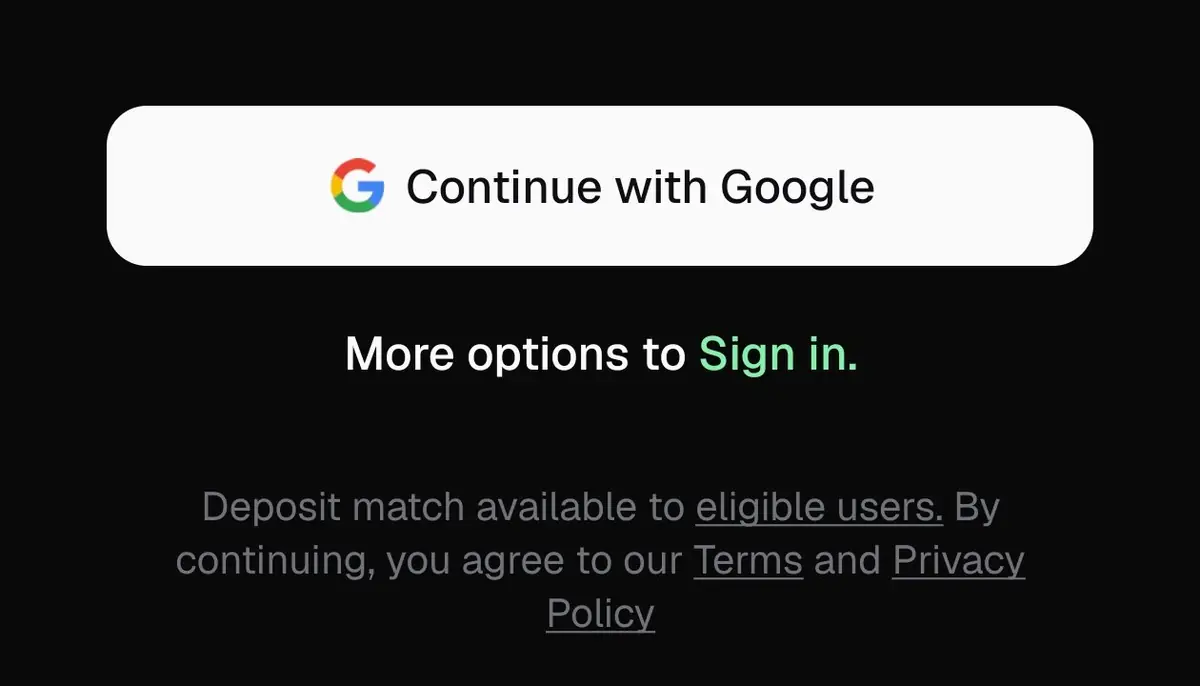
- After that you sign in with email, Google, Apple or GitHub.
- To keep an old Phantom or Solflare account, link a login to it with the wallet's private key.
- A Ledger or multisig account cannot be linked. Open a new account and move the funds.
- Your funds are not touched, and the Pumpfun app and trading carry on as before.
What changes on pump.fun on November 30?
The website stops signing people in with browser wallets.
From 15:00 UTC on Monday, November 30, 2026, pump.fun takes only an email, Google, Apple or GitHub login. Phantom, Solflare, a Ledger and other browser wallets stop working as a way in. The Pumpfun app already works this way, and one login will cover the app and the website.
The date was first set for September 25 and then pushed back. Pump.fun says nothing happens to your funds or your account: your address, positions, callouts, followers and username all stay the same.
Do you need to do anything before the deadline?
Yes, if you sign in to pump.fun with Phantom, Solflare or a Ledger.
If you already use email, Google, Apple or GitHub, nothing changes. Not sure which you use? Sign in on pump.fun as usual. If your wallet pops up and asks you to approve, you are on wallet sign-in.
How do you keep a wallet account before November 30?
Link an email, Google or Apple login to it from your profile card.
This keeps your address, username and history. You do it once, while the wallet can still sign you in. Have the private key ready, not the recovery phrase.
- Type pump.fun yourself and sign in with your wallet as usual.
- Open the profile card at the top right and choose Link email & socials.
- In the Create account window, press Continue.
- Pick your wallet under Use the wallet you're signed in as, before you touch the email field. An email or social sign-in there creates a second, empty account.
- Paste the private key when asked. In Phantom it sits under Settings, Manage accounts, the account, then Show private key.
- Add the email, Google or Apple login you will use from now on.
From then on you use the new login on the web and in the app, and wallet sign-in for that address is off for good. Pump.fun says the key is encrypted in your browser and held end-to-end encrypted by its login provider, Privy. Your wallet app keeps the key too, so two apps now control one wallet.
A QR code in the window means your wallet already has a Pumpfun app account. Scan it and add the login there. Our guide to connecting Phantom to Pump Fun shows each screen, and what to check when you cannot log in to Pump Fun covers email codes that never arrive.
What if you use a Ledger or cannot export the key?
Open a new account and send your funds to its wallet.
A Ledger, a multisig or any wallet whose key cannot be exported cannot be linked. The same route suits anyone who would rather not paste a key into a website. Your trade history stays on the old address.
- On your phone, open pump.fun/join/BonusReward and install the Pumpfun app from there. Or type BonusReward under Profile, Rewards, Referrals within 24 hours of first opening the app, before your first purchase.
- Sign in with email, Google or Apple. The app creates a new Pump wallet for that login.
- Tap Deposit. If Phantom or Solflare is on the same phone, Detected apps funds the new wallet from it. Otherwise choose Crypto, copy the address and send from the old wallet.
- Sign in on pump.fun with that same login from now on.
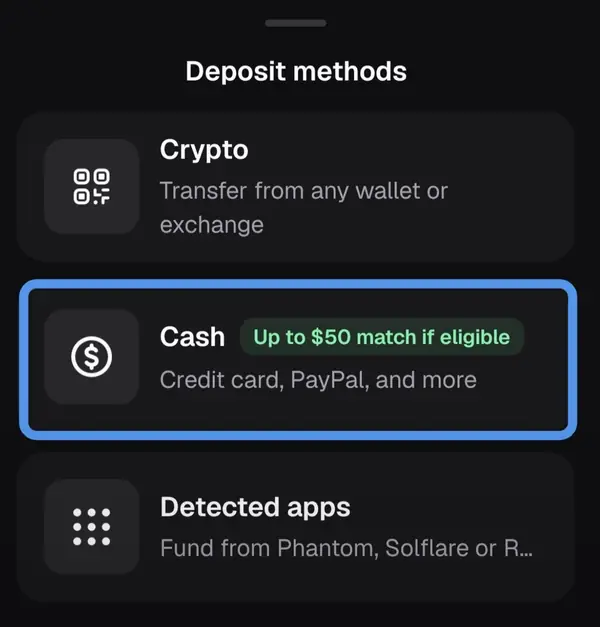
With BonusReward, the platform fee on the new account is 0.40% instead of 0.45%, as of November 24, 2026. Crypto sent in from another wallet does not count toward the Pump Fun deposit match; only a first card or Apple Pay purchase in the app does. How to deposit SOL into Pump Fun walks through the transfer.
Will you lose your funds if you miss November 30?
No. Nothing is deleted, and your funds stay at your address.
A wallet session still signed in after November 30 gets a screen asking you to add a login, Pump.fun says, with the same options to link the account or start fresh. Signed out by then? The website will not take the wallet again, but the app is not part of the change. Importing the private key there under Add Account, then choosing Link email & socials in Settings, should still work. Other sign-in trouble? See what to check when Pump Fun is not working.
What keeps working after November 30?
Your funds, your wallet, the Pumpfun app and trading itself.
- Your holdings. Coins and SOL stay on chain at your address.
- Your wallet. Phantom, Solflare and a Ledger keep working everywhere else.
- The Pumpfun app. Not affected, and neither are trading or API sessions.
One snag: Google sign-in is blocked inside Phantom's in-app browser. Use email there, or open pump.fun in Safari or Chrome. How the Pump Fun wallet works explains where your key lives.
How do you spot a fake "migration" page?
Pump.fun asks for a key in one place only, inside your own account.
Deadlines bring scams. Expect emails, DMs and lookalike sites that say "migrate your wallet before November 30" or "re-verify your wallet or lose your funds". All of them are fake.
- The real request appears only in the Create account window from Link email & socials, on your own profile, in a pump.fun tab you typed yourself.
- Pump.fun never asks for a key by DM, email or social media, and never for a recovery phrase.
- After November 30, a "pump.fun" page that asks Phantom to approve a sign-in is a copy.
- Nobody needs your email code. Whoever types it gets into your account.
Already pasted a key or approved something on a page like that? Move what is left to a new wallet now, then read what to do if your wallet was drained. How to spot a fake Pump Fun site shows the usual tricks.
Moving funds is where mistakes cost money. A Solana transfer cannot be reversed, so send a small test amount first, check every address twice, and trade memecoins only with money you can afford to lose.