
On this page
What kind of wallet does the app give you?
A Solana wallet that Privy creates the first time you log in. Privy runs the login for both the Pumpfun app and pump.fun: you sign in with an email, Google, Apple or GitHub account, and Privy generates the wallet and guards its key. Pump.fun's terms say it has no control over your wallet or its private keys, which Privy holds end-to-end encrypted.
In practice that means:
- One login, one wallet. Each email address has exactly one wallet address. Sign in with a different email and you get a different, empty wallet.
- Same wallet everywhere. The app and the website share it. From November 30, 2026 the website stops signing anyone in with a browser wallet such as Phantom.
- Your login is the key. Whoever controls that email or social account can open the wallet. Lose access to it without a key backup and Pump.fun cannot hand the wallet back, because it never held the key.
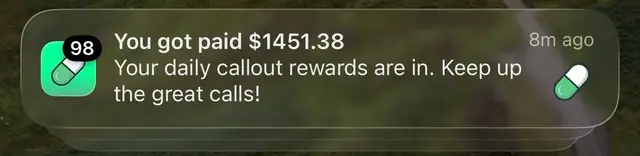
The balance is mostly SOL and USDC. Tokens on Ethereum, Base, BNB Chain and other EVM chains are bought straight from the USDC balance, with no bridging on your side. Those trades carry an extra 0.10% to 0.15% fee, and Pump.fun pays the network gas out of it. Rewards you earn in the app, from callouts to referral fees, end up in this same wallet.
How do you find your wallet address?
In the app, tap the wallet icon in the bottom bar, then Receive, and copy the address. On pump.fun, click your balance next to your avatar, choose Deposit and use copy deposit address. Either way you get the Solana address that exchanges and other wallets send to.
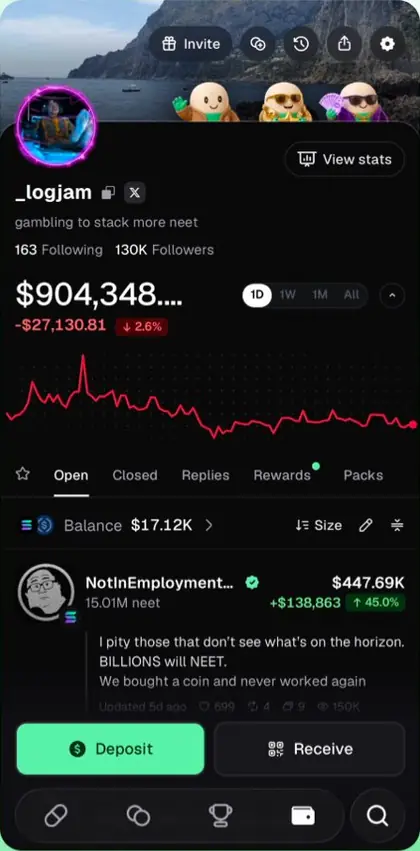
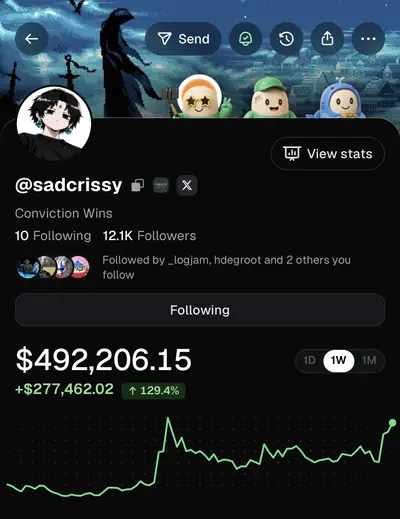
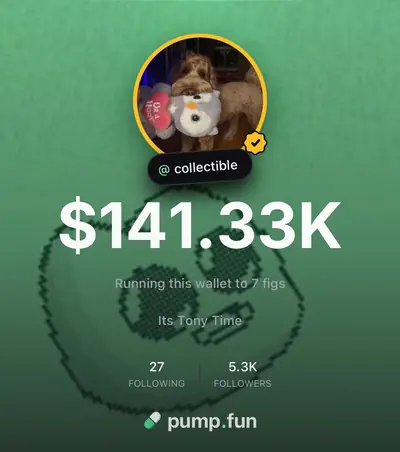
That address is public by nature. Anyone can paste it into a Solana explorer and see every coin and transfer. The app adds a social layer on top: your profile shows your username, your followers and the total value of the wallet to anyone who opens it. Treat your Pump profile like a bank statement taped to a window, and decide what you link to it with that in mind.
How do you back up or export the wallet?
Export the private key and store it offline. It is the only backup that works without your login, and it takes about two minutes.
- In the app, open your profile, then the settings menu (the gear icon), then Settings.
- Tap Export wallet. A sheet titled Before You Export lists three warnings: keep it secure, beware of scams, store it safely. Tap Continue.
- Copy the key and write it on paper, or save it in a password manager you already trust. Skip the screenshot: photos sync to cloud backups, and galleries are where thieves look first.
Accounts that sign in with email, Apple or a social login can export only the private key. There is no recovery phrase for them, so the key is the whole backup. To restore it in the app, log out, tap Sign in, then Add Account and Import with Private Key/Recovery Phrase. The same key also opens the wallet in Phantom or any other Solana wallet.
Turn on Biometric authentication in the same Settings screen. It asks for Face ID or Touch ID before the app opens your wallet, so a phone left open in someone else's hand is not enough.
What does "reclaim rent" mean, and does the app do it?
Rent is a refundable SOL deposit that Solana holds for every account, including the small account your wallet opens for each coin it holds. Close an empty account and the deposit comes back to you. "Reclaiming rent" means closing the empty ones.
The amounts are small and shrinking. A token account opened before September 2026 holds about 0.002 SOL. Solana began cutting the rent rate in steps that month, so one opened now holds about 0.0015 SOL, with further cuts planned. A wallet that has traded 100 different coins might have 0.15 to 0.2 SOL parked in empty accounts.
The app does not appear to reclaim it for you, and it has no reclaim button. In app trades from late October 2026, selling a full position emptied the coin's account but left it open with the deposit inside.
Getting it back means using a wallet or tool that closes empty token accounts, so you either import your exported key there or approve its transactions. For most people that is a poor trade. Sites promising to "claim your free SOL" are a favourite cover for wallet drainers, and the prize is often a few dollars. If you do it, use a wallet you already trust, import the key there and close only accounts with a zero balance. A coin with a tiny leftover keeps its account open, and the app's Show dust balances setting helps you spot those.
Is it safe to connect your wallet to pump.fun?
Yes, if you sign in on the real site and nobody else gets your login or key. You no longer connect an outside wallet at all: you sign in, and the Privy wallet is already there. The risks sit around it.
- Fake sites. Type pump.fun yourself or use a bookmark. Search ads and lookalike domains are a common way to lose a login, and how to spot a fake Pump Fun site shows what to look for.
- Fake support. Pump.fun asks for a private key in exactly one place, the Link email & socials dialog inside your signed-in account. Never in a DM, an email or a social post.
- Your email is the master key. Give the login email a unique password and two-factor sign-in, because it opens the wallet.
- Keep only what you trade. Move profits you are not trading to a wallet whose key never touches a trading app.
- Drainer links. Rent reclaim sites, airdrop checkers and "verify your wallet" pages all ask you to sign something. If you cannot read what it does, do not sign it. If you already signed one, go straight to what to do if your Pump Fun wallet was drained.
The two-minute checklist
- Sign in with an email or social account you will still control next year.
- Copy your address from Receive and keep it handy for deposits.
- Export the private key under Settings, Export wallet, and store it offline.
- Turn on Biometric authentication.
- Bookmark pump.fun and ignore anyone who asks for your key.
- Withdraw what you are not trading to a separate wallet.
