
On this page
Before you start
Have everything written down before you open the form. Once a Pump Fun coin is created, nothing on it can be edited.
- Some SOL. There is no platform fee for creating a coin. Putting it on-chain costs about 0.025 SOL in network fees and account deposits. Keep 0.04 SOL spare on top of whatever you plan to buy.
- A square image. At least 1000 x 1000 px, up to 15 MB, as JPG, PNG or GIF. A video can be up to 300 MB at 1080p. The optional 1500 x 500 px banner can only be added now.
- Name, ticker, description and links. If the X account or website does not exist yet, make it first.
- Two decisions. What the coin is paired with (SOL, USDC or a Custom pair), and where the creator fee goes (to you, or to holders). Neither can be changed later.
If you are new to the Pumpfun app, add code BonusReward before you launch. Your launch buy counts as a purchase, and a code only applies if it is in place before your first one. Still need the app? Our download page lists the real store pages.
Step 1: Open the create form
In the Pumpfun app, go to your Profile and tap Create. On the website, sign in at pump.fun and pick Create in the left menu. Both open the same form, top to bottom: image, name, ticker, description, links, options and the first buy.
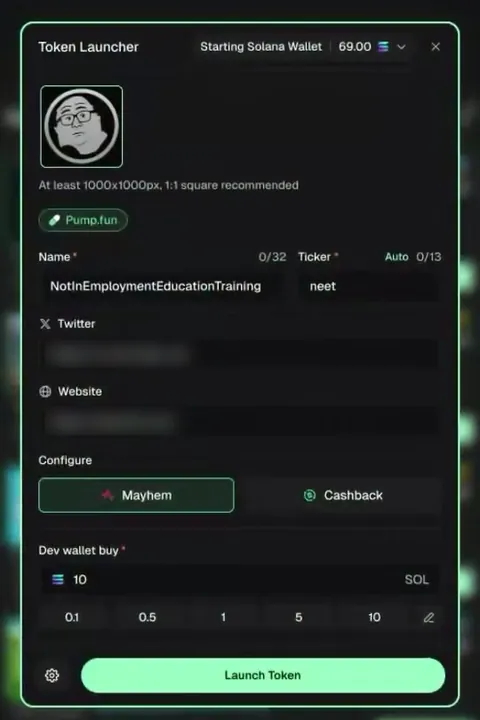
Type the address yourself. Fake launch sites copy this form, then ask you to approve a transaction that empties your wallet. The real form never asks for a recovery phrase.
Terminal, Pump.fun’s trading terminal, has the same form under Token Launcher. A first buy placed there skips the app’s platform fee, and referral codes do not apply there.
Step 2: Add the image, name and ticker
Tap Upload image or video and pick your file. Then fill in Name (up to 32 characters) and Ticker, the short symbol people type to find the coin, such as DOGE.
Look at the image at thumbnail size first. Most buyers meet a new coin as a small square in a fast feed, where a busy picture turns to noise. Crop it square yourself, or the form cuts the edges for you.
Tickers are not reserved. Anyone can launch a coin with your exact name and ticker a minute after you, and copies tend to appear as soon as a coin moves. Share the contract address, not just the ticker. On Pump.fun it usually ends in “pump”.
Step 3: Write the description and links
Description and Social links are both marked optional. Social links holds a website, an X account and a Telegram group.
Fill them in anyway. Buyers check the links to see whether anyone stands behind a coin, and a coin with none looks abandoned from minute one. After creation the name, image, description and links are locked into the coin’s metadata, so a typo in a link stays for good. Token listing sites let you add socials on their own pages later; the coin itself never changes.
One or two plain sentences are enough for the description: what the coin is about and where its community talks. Pump.fun’s terms require statements about a coin to be accurate, so leave out price promises.
Step 4: Pick the pair and the fee mode
Under Paired liquidity asset, choose SOL, USDC or Custom. The pair decides what the coin is priced in and what every fee on it is paid in.
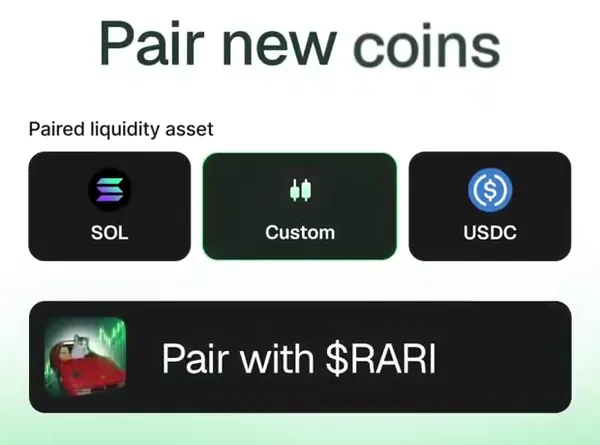
- SOL is the default and what most traders expect.
- USDC prices the coin in dollars, and fees arrive in USDC.
- Custom pairs the coin with a tokenized stock, a major such as wrapped Bitcoin, or another Pump.fun coin. Buys route through the pair coin, and the creator fee is flat: 0.30% on the curve, 0.05% after graduation. Our Pump Fun stocks page covers stock pairs.
Next comes the fee mode, shown as two tabs, Creator and Holders.
- Creator makes a Creator Fee coin. You collect the creator share of every trade: 0.30% on the bonding curve, and up to 0.95% after graduation depending on market cap.
- Holders makes a Holder Rewards coin. The same share is paid to every wallet holding more than $20 of the coin, several times an hour. On a Custom pair you also set a flat rate, from 0.3% to 1% for coins launched since November 13, 2026.
If the fees should fund anything, pick Creator. A Creator Fee coin can apply to switch to Holder Rewards later; a Holder Rewards coin can never switch back. The form may also show a Mayhem switch, which turns on Mayhem Mode and adds a second billion coins for an automated agent that trades the coin for its first 24 hours. I would leave it off; it makes the early chart hard for buyers to read.
Step 5: Set the first buy and launch
The last field is the first buy, often called the dev buy. It is optional, and it changes both what you pay and what buyers see.
With a first buy, the coin goes on-chain the moment you create it. You pay the network costs, the buy itself, the 1.25% bonding curve fee and the platform fee: 0.45%, or 0.40% if your account has a referral code such as BonusReward. Tap the create button and approve the transaction in your wallet.
Without a first buy, creating is free. The coin exists only off-chain, carries an offchain label and does not appear in search. It goes live when someone buys it through its link, and that buyer pays the account costs. So you can create a coin for free; someone else just pays to put it on-chain.
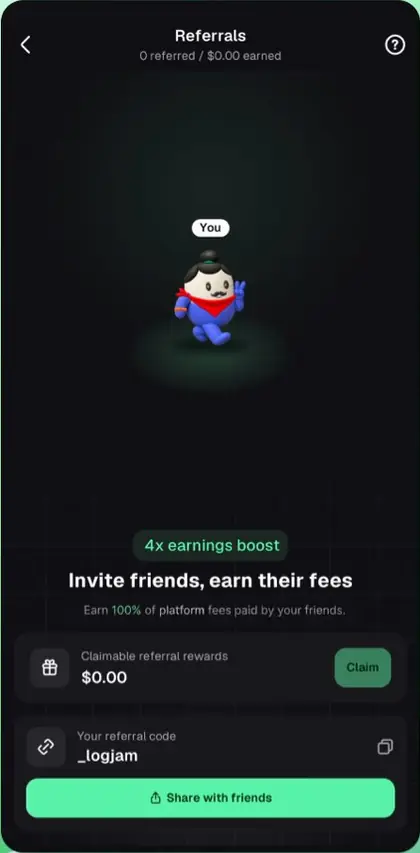
Size the buy with buyers in mind. At launch, 1 SOL gets about 34 million coins, roughly 3.4% of the supply. Traders check what the creator holds, and a big creator bag looks like a coin that will be sold on them. Plenty of creators buy a little or nothing.
| Cost | Amount |
|---|---|
| Platform fee for creating | None |
| Network fees and account deposit | About 0.025 SOL, paid by whoever makes the first buy |
| Bonding curve fee on the first buy | 1.25% |
| Platform fee on the first buy | 0.45%, or 0.40% with code BonusReward |
| Graduation to PumpSwap | 0.015 SOL, taken from the curve, not from you |
Step 6: Check the coin after launch
The coin page opens with a chart, holder list and bonding curve progress bar. A SOL-paired coin starts at a market cap of about 28 SOL, around $2,500 at early November 2026 prices, and sells 793.1 million coins along its curve.
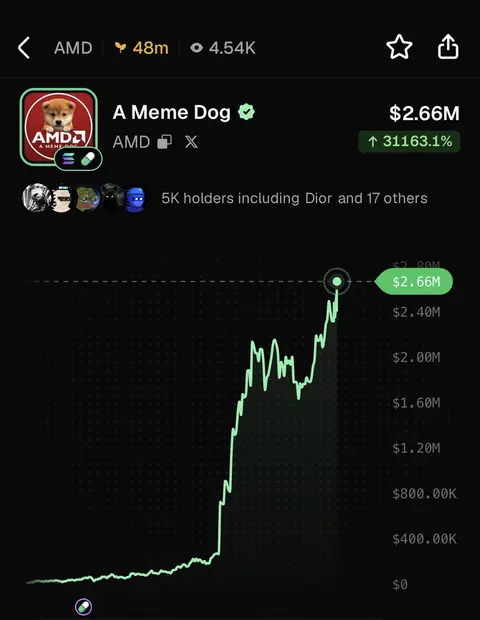
When the last of those coins sells, at about 85 SOL in the curve and a market cap near 411 SOL, the coin graduates to PumpSwap by itself. Few coins get that far.
Your creator share builds up from the first trade, at the rates in how Pump Fun creator rewards work. Collect it with Claim rewards on the coin’s Creator rewards card, or see the total under Profile, Rewards, Creator rewards in the app. Edit Distribution on the same card splits fees with up to 10 wallets. Set it before you promote the coin; Pump.fun limits changes once a coin is trading. When you are ready to show the coin to people, you can livestream on Pump Fun from its page.
If it does not work
- The coin does not show in search. It has no first buy yet. Buy a small amount through its link, or share the link so someone else does. The offchain label stays afterwards and does not affect trading.
- The transaction fails. The wallet is short of SOL for the buy plus network costs. Lower the buy or add SOL, keep 0.04 SOL spare, and try again.
- The image will not upload. It is under 1000 x 1000 px or over 15 MB. Resize it and save as JPG or PNG.
- The name, ticker or a link is wrong. It cannot be fixed. Launch a new coin and tell your community which contract address is real.
- A copy of your coin appeared. Pin the contract address wherever you post, and point people to it rather than the ticker.
